The uncomfortable truth: guests don’t explore menus as much as you think
Most restaurant owners assume their entire menu gets roughly equal attention. It feels logical.
You invested time creating categories. You uploaded photos. You carefully wrote descriptions.
But guests behave differently.
People do not read menus like books.
They scan.
They skip.
They decide fast.
In a physical menu, guests at least flip pages naturally. In a QR menu, attention becomes even shorter. One swipe can determine whether a dish becomes a bestseller or disappears.
That means your sales data often tells only half the story.
You know what was ordered.
You rarely know what was actually seen.
The real problem: sales ≠ interest
Imagine this:
You sell:
150 burgers
80 pizzas
25 signature steaks
Easy conclusion?
Guests love burgers.
But imagine discovering:
Burger section viewed by 90% of visitors
Pizza section viewed by 65%
Signature steaks viewed by only 8%
Suddenly the story changes.
The steak is not underperforming.
Guests barely discovered it.
Restaurants lose revenue every day because they confuse low visibility with low demand.
Why dishes become invisible inside QR menus
Too many categories
When guests see ten menu categories, they rarely explore all of them.
The first sections capture most attention.
Later sections become increasingly ignored.
Long lists create decision fatigue
If your burger section contains 18 items, guests stop comparing.
They choose quickly. Items near the top win.
Everything lower becomes background noise.
Missing photos reduce discovery
A photo does more than make food look good.
It helps guests stop scrolling.
Dishes without visuals often receive less attention than equally attractive alternatives.
Weak descriptions fail to trigger emotion
Compare:
Chicken with vegetables
vs.
Grilled chicken breast with roasted seasonal vegetables and herb butter
One creates appetite. One creates information.
Small differences change ordering behavior.
No visual hierarchy
Guests need guidance.
Without highlights, badges, recommendations, or positioning, menus become flat.
And flat menus hide opportunities.
What your QR menu should actually tell you
A digital menu should not act like a PDF.
It should act like a source of customer intelligence.
Instead of asking: “What sold?”
You should also ask:
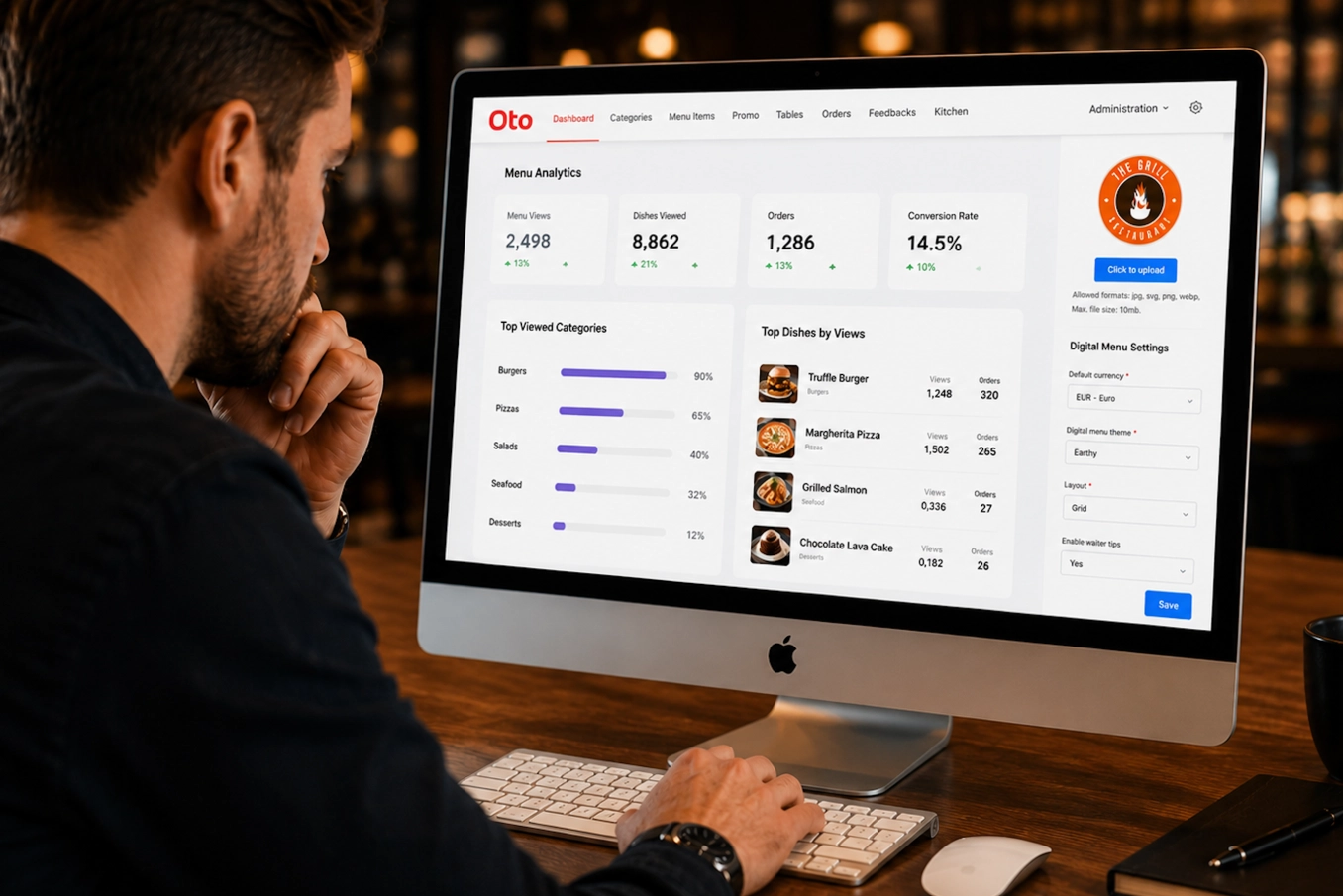
Which categories receive the most views?
Which dishes get opened but not ordered?
Which dishes guests ignore completely?
Where do guests stop scrolling?
Which photos increase conversions?
How long do guests spend deciding?
Which dishes generate repeat interest?
These answers completely change menu decisions.
Because once visibility becomes measurable, improvement becomes possible.
The Oto approach: turn menu views into revenue opportunities
This is where many restaurants discover they’ve been optimizing blindly.
Oto does more than display a QR menu.
It helps restaurants understand how guests interact with it.
With Oto, restaurants can:
See which menu sections attract attention
Identify dishes with high interest but low conversion
Update dishes instantly without reprinting menus
Test positioning and descriptions
Add attractive visuals
Create a smoother digital guest experience
Reduce staff interruptions during busy service
Improve restaurant automation without making hospitality feel robotic
Imagine noticing that your premium seafood section gets almost no views.
Instead of removing those dishes, you move them higher, improve photos, adjust descriptions, and track changes.
Sometimes a small menu adjustment creates bigger gains than introducing new dishes.
A simple experiment you can run this week
You do not need a complete redesign.
Try this:
Choose one dish that:
Has good margins
Receives positive feedback
Sells less than expected
Then:
Move it closer to the top of its category
Add a stronger image
Rewrite the description
Highlight it as a recommendation
Track results for 7 days
If performance changes significantly, the issue was never the dish.
It was discoverability.
Your next bestseller may already exist
Restaurant teams often spend weeks creating new dishes.
New ingredients. New concepts. New campaigns.
Meanwhile, hidden inside the existing menu sits a dish guests would gladly order… if they could simply notice it.
Your QR menu influences decisions more than most restaurants realize.
The question is not: What are guests buying?
The better question is: What are guests never getting the chance to buy?
Try Oto
Stop guessing which dishes work.
Understand what guests actually see, explore, and choose.
Start building a smarter digital guest experience with Oto:
FAQ
How can I know if a dish is hidden in my QR menu?
Look beyond sales. Track menu views, scroll depth, dish interactions, and category performance. A low-selling dish with low visibility may simply not be getting discovered.
Do QR menus affect what guests order?
Yes. Menu structure, placement, photos, and descriptions strongly influence decision-making and ordering behavior.
Should I remove dishes that sell poorly?
Not immediately. First check whether guests actually viewed those dishes before making decisions.
How often should restaurants update their digital menu?
Small optimizations every few weeks often outperform large redesigns done once a year.
Can menu analytics increase restaurant revenue?
Yes. Understanding guest behavior helps restaurants improve visibility, promote higher-margin items, and create better ordering experiences.
Is a QR menu only useful for reducing printing costs?
No. Modern QR menus can support contactless ordering, improve operations, and provide insights into guest behavior.